

A wellbeing app for ordinary weeks

Feel a little more like yourself again.

Luvya builds a gentle plan around the week you actually have, asks how it felt, and quietly adjusts the next one. Small steps, and nothing here is a target to hit.

Starts with a 30-day free trial. No payment when it starts, and it never turns into a paid subscription by itself.

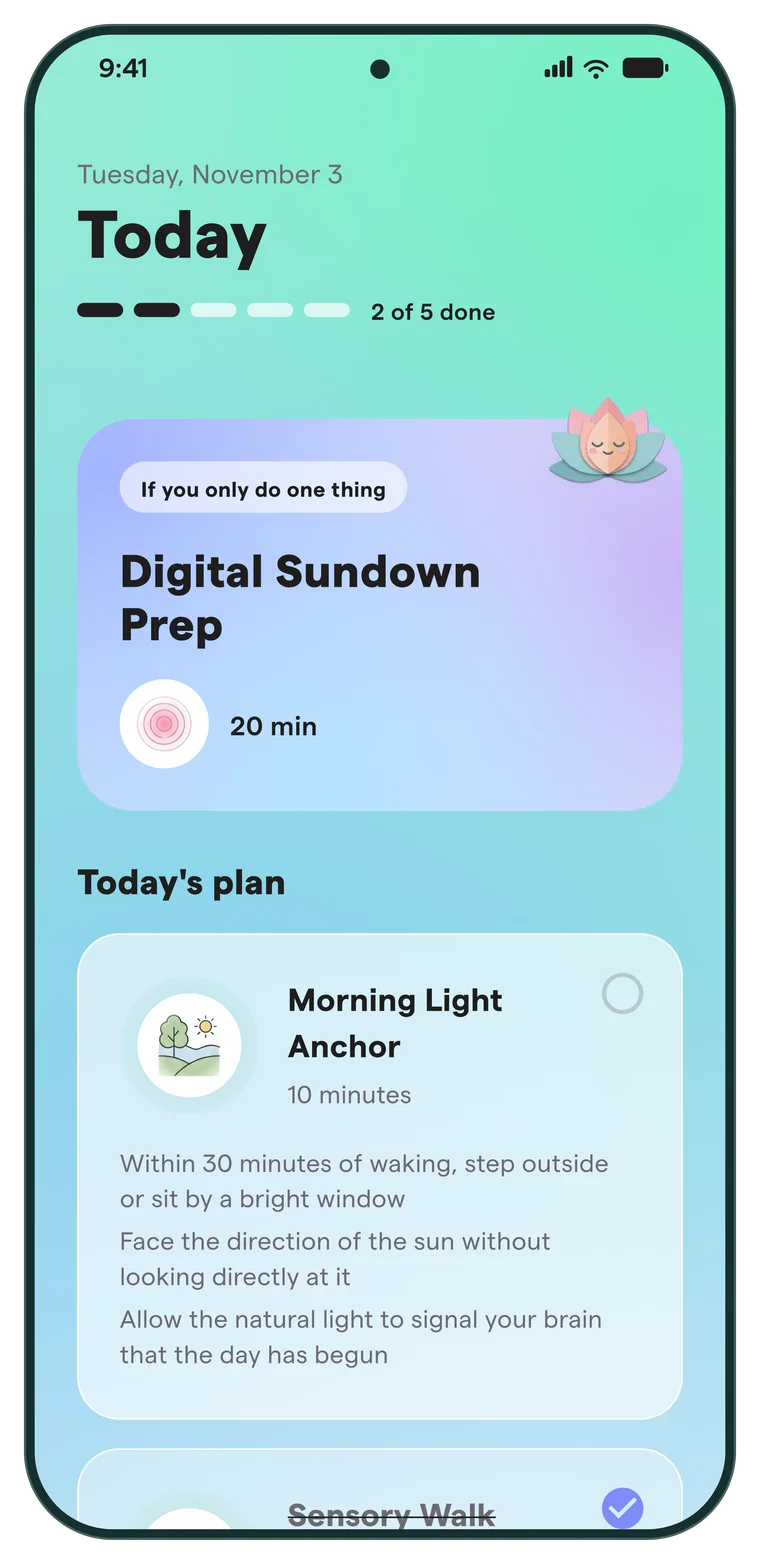
Luvya's Today screen. A highlight card reads: If you only do one thing, Digital Sundown Prep, 20 minutes. Below it, today's plan starts with Morning Light Anchor, 10 minutes.

How are you, right now?

You don't have to feel better every day. It's enough to notice how you are in this moment.

  • Calm
  • Tired
  • Overwhelmed
  • Neutral
  • A bit better
  • Not sure

A week in Luvya

Built around a week, not a run of perfect days.

MONA new plan

Your week, already thought through.

Tell Luvya what you'd like to change, when you have time for yourself, what you enjoy and what you'd rather avoid. Every Monday there's a plan with one focus for the week and one or two habits that stay put while everything around them rotates.
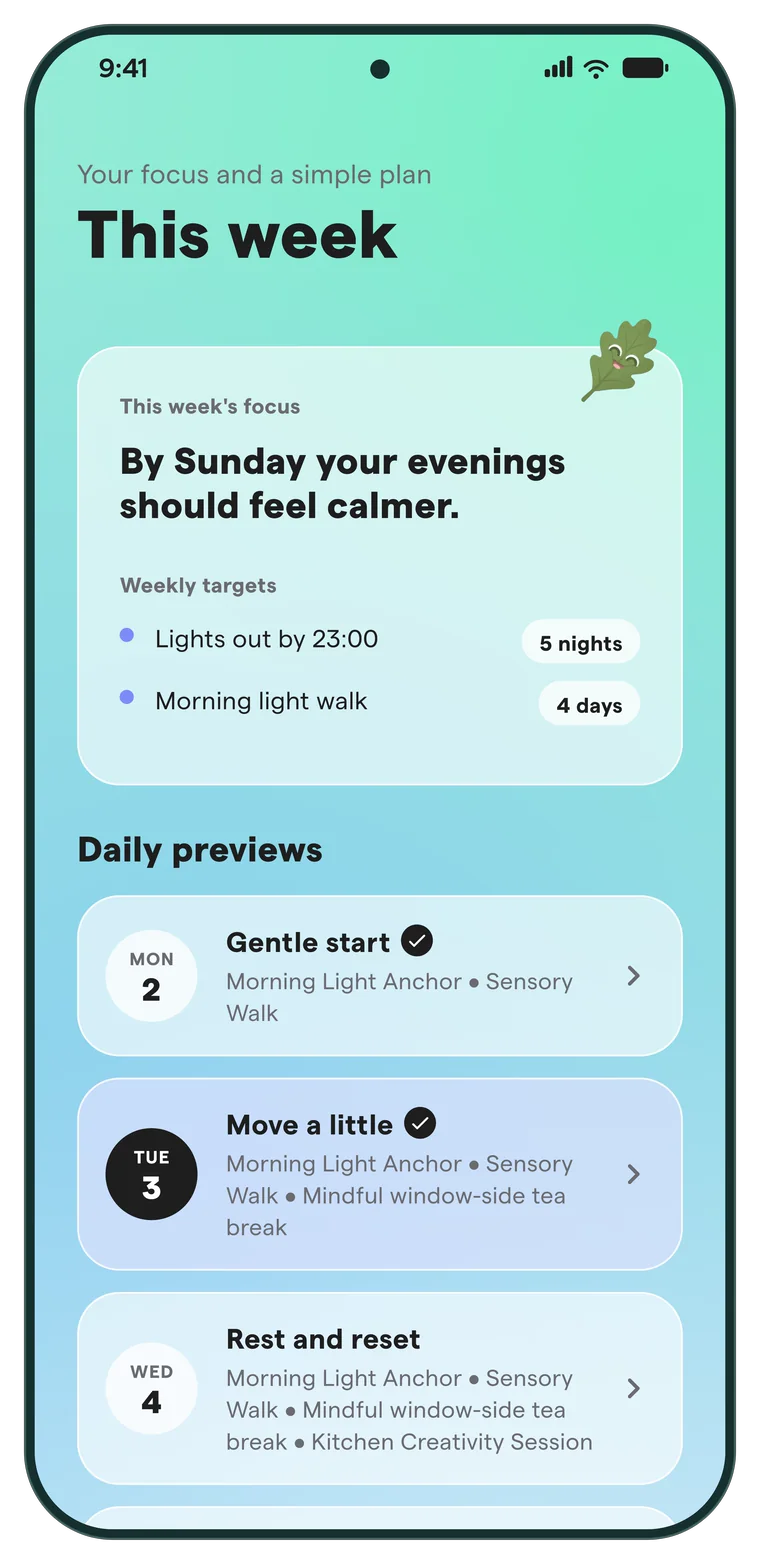
The This week screen. The focus reads: By Sunday your evenings should feel calmer. Weekly targets and daily previews follow.
TUEEvery day

If you only do one thing.

That's the label on the card at the top of each day: one highlight, then a short list with the minutes next to every task. Open one for the steps. Tick it off, or don't. Either way, next week takes it into account.

Close-up of today's plan: Morning Light Anchor, 10 minutes, with its steps.
SUNWhenever you like

How did this week feel?

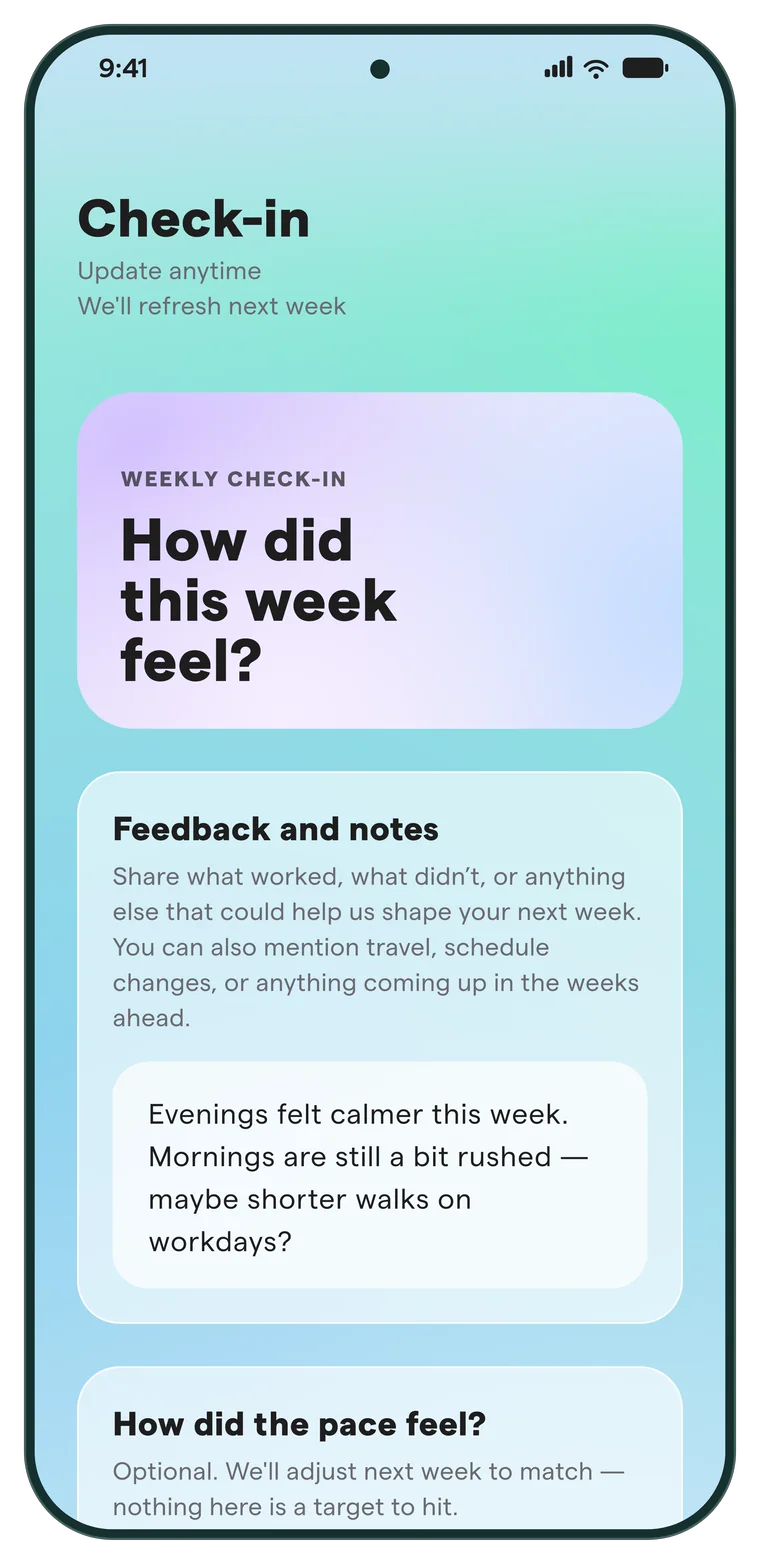
A short check-in made from the week you just had: the pace, what you'd like to lean into, what you liked, what you didn't, and a note if something comes to mind. It's optional, and you can come back to it any time.

The Check-in screen. A card asks: How did this week feel? Below it, a space for feedback and notes.
MONNext week

The next plan moves with you.

What you actually finished, and the pace you asked for, set the direction for the next week. Then the plan is written to match.

Harder week, lighter planFewer or shorter tasks and familiar activities, with nothing new added. Asking for an easier pace does the same.
No strong signal, same shapeThe load stays where it is, and the variety tasks rotate so it doesn't get stale.
Good week, one small stepAt most one new thing: a slightly longer task, one added step, or one new activity. Never more than that.

Moments

Now and then, a quieter question.

Between plans, Luvya sometimes pauses with a short moment. You can answer in a tap or a few words, or skip it.

Gentle check-in

How are you, right now?

Pick a word. Add something if you want to.

Quick question

What do you need right now?

Choose whatever feels closest, and the app points you there.

Reflection

Something we noticed

One tentative observation about how you've used the app. Lean into it, or ask for something new.

Weekly pause

A gentle look back

A quiet description of your week, with no percentages, scores or comparisons.

Companions

You're in good company.

Oakie the oak leaf turns up on one screen at most each day, and not every day. The others take turns: a sleepy sun, a cloud, a lotus, a cup of tea. Each moves in its own slow way, and sometimes nobody's there at all. Every plan also picks an emoji for each day.

Three looks

Same app. Pick the light you like.

Cool mint and frosted glass. Light and open, like a deep breath of fresh air.

Tuesday, November 3

Today

2 of 5 done
If you only do one thing Digital Sundown Prep 20 min
Morning Light Anchor10 minutes

A sample redrawn for this page with the app's colours. A look changes colours and surfaces; every screen keeps its layout.

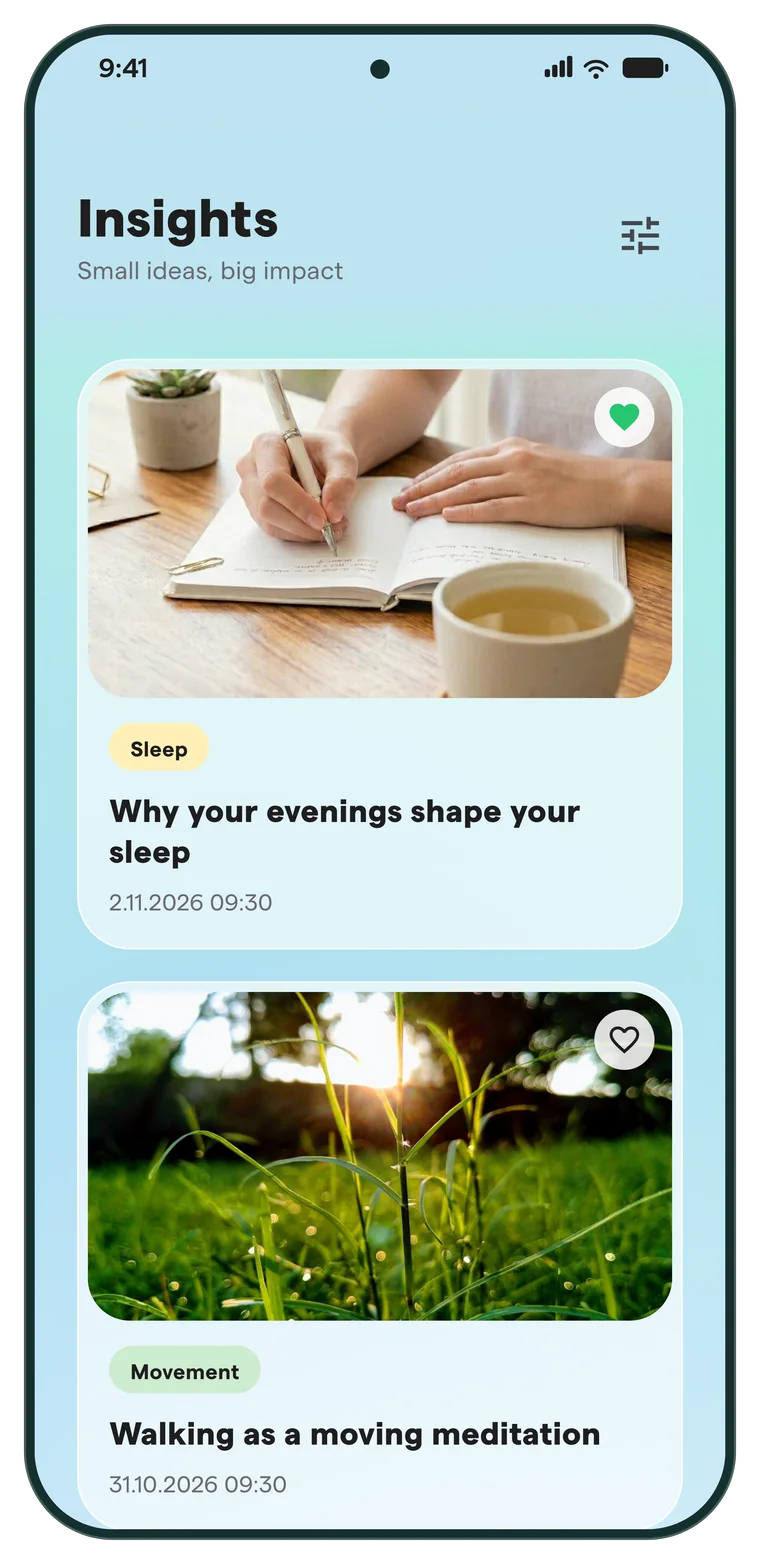
The Insights screen, subtitled Small ideas, big impact. The first article, tagged Sleep, is called Why your evenings shape your sleep.

Insights

Small ideas, big impact.

A growing library of short reads on sleep, movement, mindfulness and everyday life. Filter by topic, and keep the ones you like with a heart. The library is the same for everyone and is put together without any personal data.

New in Luvya

Small details that make a plan feel written for you.

Everything in Luvya is personal: your plan, your notes, your reminders. And it all adapts to how your weeks actually go.

  • Getting started is a chat with OakieNo long form. Just a friendly chat with Oakie the oak leaf, and your first plan is ready.
  • Plans that know the seasonIdeas that fit your days, your season and the light outside your window.
  • Habits that grow upNew habits get steady practice. Once they stick, they quietly make room for something new.
  • It remembers what you likeThe things you enjoy come back. The things that don’t fit get swapped for something better.
  • A note for youNow and then, a short personal note about your week, written just for you.
  • A careful look at every weekEvery week is checked before it reaches you, with your limits in mind.
  • Reminders at the right momentPersonal reminders that arrive at just the right moment, and never too many.
  • A library that keeps growingShort reads on sleep, movement, calm and everyday life, with new ones added all the time.

Already 500+ people use Luvya. Everything here is in the app today, and you can try it all right away. Get the app

How the AI is used

Gemini writes the plan. Rules decide how hard it gets.

Luvya uses Google's Gemini API to write personal text. It doesn't let the model decide how much to ask of you: that comes from ordinary code, working from what you actually did.

  1. YouAnswers and check-insYour goals, routines and limits, what you ticked off, and how the week felt.
  2. Our codeSets the directionSimplify, hold steady or progress gently, worked out from real completions and your requested pace.
  3. GeminiWrites the weekIt receives your context and that directive, and answers in a fixed JSON structure.
  4. Gemini + our codeReview the weekA second pass reviews every new week, with extra care for any health condition or injury you mentioned. If it fails, it's retried.
  5. YouA plan on MondayIt's saved to your account. If generation keeps failing, the app says so and offers a way to reach us.
2AI passes on every week: one writes, one reviews
4Gemini models, each matched to its job
90k+lines of code across the app and its backend
2,300+automated tests and checks

Where Gemini is used

  • Writing each weekly plan.
  • Reviewing every new week before it reaches you.
  • Oakie's replies in the onboarding chat.
  • Turning check-ins into priorities that carry over from week to week.
  • The short reflections in moments.
  • Building Insights: finding and checking articles, filing them by topic, reviewing their images. No user data is involved.

What it sees, and doesn't

  • It gets your goals, energy, stress, routine, likes, dislikes and limits, check-in answers and notes, plus your preferred name, city and time zone if you gave them.
  • These requests don't include your email, account ID, device identifiers or payment details.
  • We don't train models of our own on your data.

What keeps it sensible

  • Mention a health condition or injury, and activities that may not suit it are swapped out of your week.
  • Prompts tell the model not to diagnose, suggest treatment or medication, or make medical claims, and to point to a qualified professional instead.
  • Only accounts with access get a generated week, once per week, with one extra week prepared ahead.
  • Simple jobs go to a lighter model, and repeat requests are rate-limited.

It can still get things wrong, which is why plans are general wellbeing suggestions and you stay the judge of what suits you. Read how Luvya is built, or see what's shared with whom in the Privacy Policy.

Gemini is a product of Google. Luvya is an independent app and isn't endorsed by or affiliated with Google.

Bring someone along

New users start with a 30-day free trial, once per person. An invitation code from a friend makes it 3 months. When they begin their plan, you get 2 extra months too, if you're on your trial.

Trial and invitation rules are in the Terms of Use.

A wellbeing app, not a medical service

Luvya doesn't give medical advice, diagnosis, treatment or therapy, and it can't recognise an emergency. If you're unwell or worried, talk to a qualified professional. If you may be in a crisis or an emergency, contact local emergency or crisis services right away.

Who's behind Luvya

Made by someone who has been building apps for a long time.

Luvya is made by Appex, a small independent studio in Košice, Slovakia, founded by Pavol Madeja. Pavol is a software architect and product owner with more than 18 years in software, 14 of them building mobile apps for startups, banks, cities and companies across Europe and the US. He started his career at Nokia in the Nordics.

Pavol Madeja, founder of Appex
Pavol MadejaFounder of Appex

Meet the founder

  • 18+years in software
  • 14years building mobile apps
  • 1M+people using apps he designed
  • 70+languages in one of his apps

One small thing today.

Luvya is on iPhone and Android, made by a small team in Košice, Slovakia.